
Anúncios
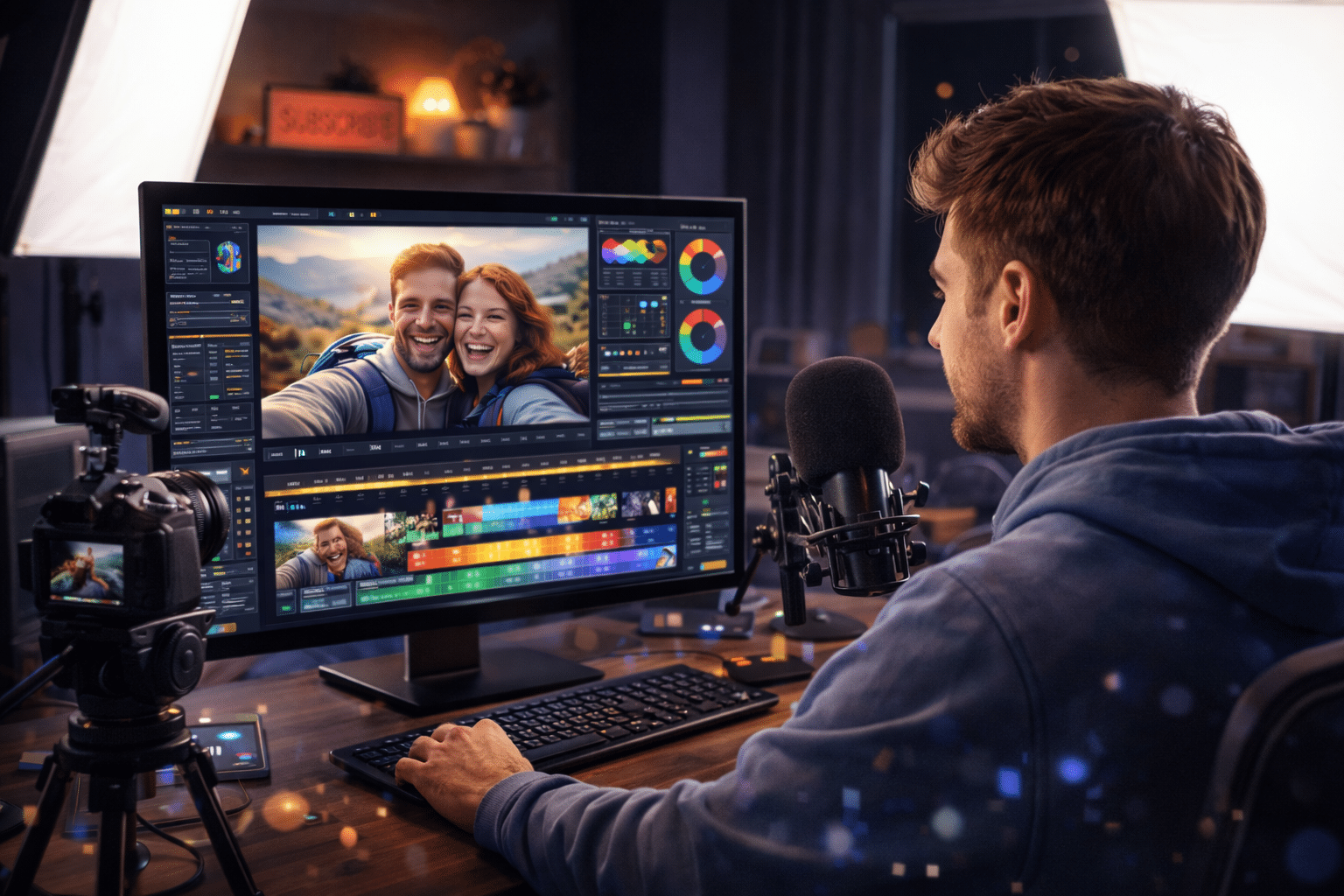
Creating stunning, professional-quality videos has never been more accessible. Whether you’re a content creator, marketer, or hobbyist, mastering video editing is your gateway to captivating audiences.



The difference between amateur footage and professional content often comes down to editing. A well-edited video can transform raw clips into compelling stories that engage viewers from the first second to the last frame.
Anúncios
Today’s video editors offer powerful tools that were once exclusive to Hollywood studios. With the right techniques and understanding, you can elevate your content to match the quality of what you see from professional productions.
🎬 Why Professional Video Editing Matters More Than Ever
In today’s digital landscape, video content dominates social media feeds, websites, and marketing campaigns. Viewers have developed sophisticated expectations shaped by high-quality productions they encounter daily on platforms like YouTube, Instagram, and TikTok.
Anúncios
Professional editing isn’t just about aesthetics—it’s about communication. Clean cuts, smooth transitions, and well-timed audio create a viewing experience that keeps audiences engaged. Poor editing, on the other hand, can distract viewers and diminish even the most compelling content.
The good news? You don’t need expensive equipment or years of film school training. Modern video editing apps put professional-grade tools right at your fingertips, making it possible for anyone to produce polished, broadcast-quality content.
🛠️ Essential Features Every Video Editor Should Have
When selecting a video editing tool, certain features separate basic apps from professional-grade solutions. Understanding these capabilities will help you choose the right editor for your needs and unlock your creative potential.
Multi-Layer Timeline Editing
Professional video editors allow you to work with multiple video layers, audio tracks, and overlay elements simultaneously. This feature is crucial for creating complex compositions where graphics, text, background music, and multiple video clips interact seamlessly.
A robust timeline interface gives you precise control over timing and sequencing. You can trim clips to the exact frame, adjust audio levels independently, and synchronize elements with pixel-perfect accuracy.
Advanced Color Correction and Grading
Color manipulation transforms the mood and atmosphere of your videos. Professional editors include tools for adjusting brightness, contrast, saturation, and temperature, as well as advanced features like color wheels, curves, and LUTs (Look-Up Tables).
These tools allow you to create consistent visual styles across your content, correct lighting issues from filming, and establish distinctive color palettes that become part of your brand identity.
Transition and Effect Libraries
While simplicity often serves content best, having access to professional transitions and effects expands your creative possibilities. Quality editors include libraries of transitions beyond basic cuts and fades, along with effects like slow motion, stabilization, and chromakey (green screen) capabilities.
The key is using these tools judiciously—professional editing often means knowing when not to use an effect just as much as knowing when to apply one.

📱 Mobile Editing: Professional Results on the Go
The revolution in mobile video editing has democratized content creation. Today’s smartphones pack impressive processing power, and editing apps have evolved to take full advantage of these capabilities.
Mobile editors offer surprising flexibility for creators who need to edit quickly or lack access to desktop workstations. Many successful YouTubers, Instagram influencers, and TikTok creators produce their entire content pipeline using nothing but their phones.
The best mobile video editors combine intuitive touch interfaces with powerful features. Gesture-based controls make timeline navigation feel natural, while precision tools ensure you maintain the control needed for professional results.
Optimizing Your Mobile Editing Workflow
Working on mobile devices requires some adjustments to traditional editing approaches. Organize your footage before beginning—rename clips, delete unusable takes, and group related content to streamline your process.
Take advantage of cloud storage and project syncing features. Many professional editors allow you to start projects on your phone during commutes or travel, then continue work on a tablet or desktop when you have access to larger screens.
Export settings matter significantly on mobile. Understanding resolution, bitrate, and compression options ensures your final videos look sharp on their intended platforms without creating unnecessarily large files.
✂️ Fundamental Editing Techniques That Elevate Your Videos
Technical knowledge of your editing software matters, but understanding fundamental editing principles transforms competent editors into exceptional storytellers. These techniques form the foundation of professional video production.
The Power of Pacing and Rhythm
Professional videos maintain rhythm that matches their content and audience expectations. Action-packed content benefits from quick cuts and dynamic transitions, while tutorials and educational content need measured pacing that gives viewers time to absorb information.
Pay attention to the relationship between your cuts and any music in your video. Editing to the beat creates satisfying synchronization that viewers feel even if they don’t consciously notice it. This technique applies to background music in vlogs, promotional videos, and even subtle audio in corporate presentations.
Creating Seamless Visual Continuity
Continuity editing ensures your video flows logically from one shot to the next. This includes matching action across cuts, maintaining consistent screen direction, and respecting the 180-degree rule that keeps viewer orientation clear.
When cutting between shots of the same subject or scene, look for natural motivation points—moments where viewer attention naturally shifts. Cutting on action, when a subject moves or gestures, creates invisible edits that maintain immersion.
Strategic Audio Management
Audio quality often impacts perceived video quality more than visual elements. Viewers will tolerate imperfect video if the audio is clear, but poor audio drives audiences away from even beautifully shot footage.
Professional editors balance dialogue, music, and sound effects across multiple audio tracks. They use techniques like ducking (automatically lowering music volume when dialogue occurs), equalizing frequencies, and adding subtle ambient sound to eliminate awkward silence.
🎨 Developing Your Visual Style and Brand Identity
Consistency in editing style helps build recognition and trust with your audience. Whether you’re creating content for personal branding, business marketing, or entertainment, a distinctive visual approach makes your work immediately recognizable.
Start by analyzing content you admire. What editing choices create their distinctive feel? How do they use color, pacing, graphics, and transitions? Understanding these elements helps you develop your own style rather than simply copying others.
Create templates and presets for recurring elements in your videos. Consistent intro sequences, lower thirds (text graphics showing names or titles), and outro cards establish professional polish while saving time on future projects.
Color Grading for Emotional Impact
Color psychology plays a crucial role in how viewers emotionally respond to your content. Warm tones (oranges and yellows) create feelings of comfort and energy, while cool tones (blues and greens) convey calmness or professionalism.
Develop a signature color grade that aligns with your brand or content style. Travel vloggers might emphasize vibrant, saturated colors, while tech reviewers often prefer clean, neutral tones. Consistency across videos strengthens your visual identity.
⚡ Workflow Optimization: Editing Faster Without Sacrificing Quality
Efficiency separates hobbyists from professionals who must deliver quality content on deadlines. Optimizing your editing workflow lets you produce more content without compromising the standards that make your work stand out.
Pre-Production Organization Saves Hours
Professional editors know that editing actually begins before filming. Creating shot lists, planning your sequence, and organizing footage with clear naming conventions eliminates confusion and wasted time searching for clips.
Import and organize footage immediately after shooting. Create bins or folders for different scene types, B-roll, audio files, and graphics. This upfront investment pays dividends throughout the editing process.
Keyboard Shortcuts and Custom Workspaces
Learning keyboard shortcuts for your editing software dramatically increases speed. Instead of navigating menus with your mouse, shortcuts let you split clips, add transitions, and adjust parameters without breaking your creative flow.
Customize your editing interface to match your workflow. Position timeline, preview window, and tool panels where they make intuitive sense for your process. Most professional editors create multiple workspace layouts optimized for different editing stages.
Proxy Editing for Smooth Performance
High-resolution footage can slow editing to a crawl on less powerful devices. Professional editors use proxy workflows—working with lower-resolution copies during editing, then automatically reconnecting to full-resolution files for final export.
This technique ensures smooth playback and responsive timeline scrubbing regardless of your device’s capabilities. The final render uses original quality footage, so there’s no compromise in your output quality.
🎯 Platform-Specific Optimization Strategies
Different platforms have unique requirements and audience expectations. Professional editors tailor their approach based on where content will be published, maximizing engagement and technical quality for each destination.
Social Media Vertical Video
Instagram Stories, TikTok, and YouTube Shorts demand vertical (9:16) aspect ratios. Rather than simply cropping horizontal footage, plan and edit specifically for vertical formats. This might mean repositioning subjects, adjusting text placement, and creating graphics that work within vertical constraints.
Vertical video also changes pacing expectations. These platforms favor rapid edits, bold graphics, and immediate hooks that capture attention within the first two seconds.
YouTube and Long-Form Content
YouTube audiences tolerate longer videos but still expect professional pacing. Strategic use of pattern interrupts—subtle changes in music, camera angle, or graphics—maintains engagement throughout longer content.
YouTube’s algorithm favors watch time and audience retention. Edit with these metrics in mind, front-loading value, removing unnecessary pauses, and structuring content to encourage viewing to completion.
Professional Presentations and Corporate Video
Business contexts demand conservative editing that prioritizes clarity over flashiness. Clean transitions, professional lower thirds, and clear audio take precedence over trendy effects.
Corporate videos benefit from strategic pacing that allows complex information to be absorbed. Include pauses after key points, use on-screen text to reinforce spoken content, and maintain visual consistency that reflects brand standards.
🚀 Advanced Techniques That Set Professionals Apart
Once you’ve mastered fundamental editing, advanced techniques separate good videos from exceptional ones. These skills require practice but deliver results that clearly demonstrate professional-level expertise.
Motion Graphics and Text Animation
Animated text and graphics add polish and professionalism to your videos. Rather than static titles, animated elements guide viewer attention, emphasize key points, and create visual interest during talking-head segments.
Modern video editors include keyframe animation tools that let you create custom motion graphics without separate animation software. Start simple with position and opacity animations, then expand to scale, rotation, and more complex effects.
Audio Mixing and Sound Design
Professional sound design involves layering multiple audio elements to create rich, immersive soundscapes. This includes ambient background audio, sound effects that emphasize actions, and carefully balanced music that supports without overpowering.
Use audio compression and limiting to ensure consistent volume levels throughout your video. These tools prevent jarring volume changes that force viewers to adjust their device settings.
Speed Ramping and Time Manipulation
Variable speed effects—smoothly transitioning from normal speed to slow motion or fast forward—add cinematic quality to your videos. This technique emphasizes key moments, condenses lengthy processes, and creates visual interest.
Professional editors use optical flow or frame blending technologies to create smooth slow-motion effects even from footage shot at normal frame rates. While best results come from high frame rate source footage, modern algorithms produce impressive results from standard video.
💡 Common Editing Mistakes and How to Avoid Them
Even experienced editors fall into common traps that diminish their work’s professional quality. Recognizing these mistakes helps you develop awareness that elevates everything you create.
Overusing transitions and effects: Every effect should serve a purpose. Random transitions distract viewers and signal amateur work. Professional editing often means using straight cuts 90% of the time, reserving special transitions for specific storytelling purposes.
Ignoring audio quality: Beautiful visuals can’t save videos with poor audio. Invest time in cleaning dialogue, balancing levels, and eliminating background noise. Your audience will notice and appreciate the difference.
Inconsistent color and exposure: Footage from the same scene should match in color temperature, brightness, and saturation. Color correct and grade your footage to create visual consistency throughout your video.
Poor pacing: Both too fast and too slow create problems. Read your content’s rhythm and edit accordingly. When in doubt, trim conservatively—you can always make additional cuts, but you can’t restore edited material.
🌟 Transform Your Content Starting Today
Professional video editing is a learnable skill that dramatically improves content quality across all platforms and purposes. The tools exist, the techniques are documented, and the only remaining ingredient is your commitment to improvement.
Start with one or two techniques from this guide and practice them until they become natural parts of your workflow. As each skill becomes intuitive, add new capabilities to your toolkit. This incremental approach builds genuine expertise rather than superficial familiarity.
Your unique voice and perspective are what make your content valuable. Professional editing techniques simply ensure that technical quality matches your creative vision, allowing your message to reach audiences without distraction or compromise.
The journey from basic video compilation to professional editing takes time, but every project teaches valuable lessons. Embrace experimentation, study content you admire, and consistently apply new techniques. Your videos will reflect that growth, engaging audiences and achieving your creative or business goals with increasing effectiveness.
Download a professional video editor today and begin transforming your raw footage into polished, engaging content that stands out in crowded digital spaces. The difference between amateur and professional videos isn’t talent—it’s technique, and now you have the knowledge to bridge that gap.
