
Anúncios
In today’s connected world, ensuring your Wi-Fi network performs at its best is essential for productivity, entertainment, and smart home management.

Whether you’re working from home, streaming your favorite shows, or gaming online, a slow or unstable internet connection can disrupt your entire day. Wi-Fi analyzer and internet speed test applications have become indispensable tools for diagnosing connectivity issues, optimizing network performance, and ensuring you’re getting the speeds you pay for from your internet service provider.
Anúncios
These powerful apps transform your smartphone into a professional-grade diagnostic tool, providing insights that were once available only to IT professionals. From identifying signal interference to discovering the best Wi-Fi channels, these applications empower everyday users to take control of their wireless networks. Let’s explore how these tools work and why they’ve become essential for modern internet users. 📡
Understanding Wi-Fi Analyzer Applications
Wi-Fi analyzer apps are sophisticated diagnostic tools designed to scan, analyze, and visualize wireless networks in your vicinity. They provide detailed information about signal strength, channel usage, network security, and potential sources of interference that might be affecting your connection quality.
Anúncios
These applications work by scanning the radio frequencies used by Wi-Fi networks, typically the 2.4 GHz and 5 GHz bands. They display this information in various formats, including graphs, charts, and lists, making it easy to understand complex wireless data at a glance. For most users, this means identifying why their Netflix keeps buffering or why video calls keep dropping.
The primary function of a Wi-Fi analyzer is to help you visualize your wireless environment. When you open the app, it immediately begins scanning for nearby networks, measuring their signal strength, and identifying which channels they’re using. This information is crucial because Wi-Fi channels can become overcrowded, especially in apartment buildings or dense urban areas where dozens of networks compete for the same frequency space.


Key Features That Make These Apps Essential 🔍
Modern Wi-Fi analyzer applications come packed with features designed to help both novice users and networking professionals. Understanding these capabilities helps you choose the right tool and use it effectively.
Signal Strength Measurement: The most fundamental feature displays the signal strength of your network and neighboring networks in real-time. This helps you identify dead zones in your home and find the optimal placement for your router or range extenders.
Channel Analysis: These apps show you which Wi-Fi channels are congested and which are relatively free. By switching to a less crowded channel, you can often dramatically improve your connection speed and stability without changing any hardware.
Network Discovery: Analyzer apps reveal all wireless networks in range, including hidden networks. This feature helps you understand your wireless environment and can even help identify unauthorized devices on your network.
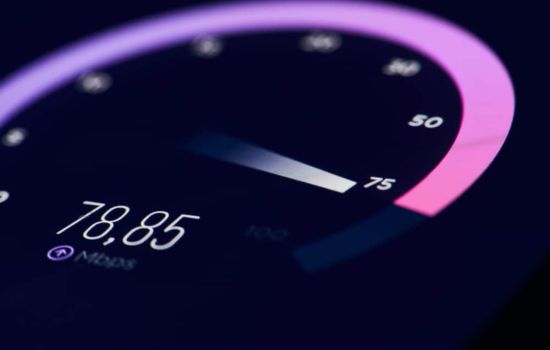
Speed Testing: Many analyzer apps include built-in internet speed tests that measure your download speed, upload speed, ping, and jitter. These tests provide objective data about whether you’re receiving the internet speeds promised by your provider.
How Internet Speed Tests Actually Work
When you tap that “GO” button on a speed test app, a sophisticated sequence of operations begins. Understanding this process helps you interpret results more accurately and test at the right times.
The app first establishes a connection to a nearby test server, usually operated by the app company or your internet service provider. The proximity of this server matters because distance affects latency and can influence test results. Most modern apps automatically select the closest server, though you can often choose manually.
During the download test, the server sends data packets to your device, and the app measures how quickly these packets arrive. The upload test reverses this process, sending data from your device to the server. Meanwhile, the ping test measures latency by timing how long it takes for a small packet of data to make a round trip to the server and back.
It’s important to understand that speed test results represent a snapshot in time. Network performance fluctuates throughout the day based on overall internet traffic, the number of devices using your network, and even weather conditions for wireless connections. Running multiple tests at different times provides a more accurate picture of your typical speeds.

Optimizing Your Wi-Fi Network with Analyzer Data 📊
Collecting data is only valuable when you know how to act on it. Wi-Fi analyzer apps provide actionable insights that can transform your internet experience with simple adjustments.
After running a channel analysis, you might discover your router is using channel 6 along with fifteen of your neighbors. Switching to channel 1 or 11 (for 2.4 GHz) or one of the less congested 5 GHz channels can reduce interference and improve speeds. Most modern routers make this change simple through their administrative interface.
Signal strength measurements help you position your router optimally. Ideally, place your router in a central location, elevated off the floor, and away from walls and metal objects. If your analyzer shows weak signals in certain rooms, you can use this data to decide where range extenders or mesh network nodes would be most effective.
Some users discover through analyzer apps that their devices are connecting to the 2.4 GHz band when a faster 5 GHz network is available. While 5 GHz offers higher speeds, it has shorter range. Understanding this trade-off helps you configure your devices appropriately based on their location and usage.
Troubleshooting Common Connectivity Issues
Wi-Fi analyzer and speed test apps excel at diagnosing specific problems. Recognizing patterns in your data helps you identify and resolve issues quickly.
Consistently Slow Speeds: If speed tests show you’re receiving significantly less bandwidth than your plan promises, first test with a device connected directly to your router via ethernet cable. If speeds improve dramatically, the issue lies with your Wi-Fi network rather than your internet service. If speeds remain slow, contact your provider.
Intermittent Disconnections: When your connection drops randomly, channel interference is often the culprit. Use your analyzer to identify clearer channels and switch accordingly. Also check for sources of physical interference like microwave ovens, cordless phones, and baby monitors.
Dead Zones: Areas with no Wi-Fi coverage show up clearly on analyzer apps through signal strength mapping. These tools help you determine whether you need range extenders, whether repositioning your router would help, or if a mesh network system would better serve your space.
High Ping and Latency: For gamers and video conferencing users, low latency is crucial. If tests show high ping times, try connecting via ethernet instead of Wi-Fi when possible, close bandwidth-heavy applications running in the background, and ensure quality of service (QoS) settings prioritize your important applications.
Choosing the Right App for Your Needs 📱
The market offers dozens of Wi-Fi analyzer and speed test applications, each with unique strengths. Selecting the right one depends on your technical expertise and specific requirements.
For comprehensive analysis, Wi-Fi Analyzer Pro provides detailed visualizations of your wireless environment, including channel ratings, signal strength graphs, and network information. Its interface may seem complex initially, but it offers professional-level insights accessible to home users.
Speedtest by Ookla has become the industry standard for internet speed testing, offering consistent, reliable results and a massive network of global test servers. Its simple interface makes it accessible to anyone, while advanced features satisfy power users who want detailed analytics and historical tracking.
Some apps combine both functions, providing Wi-Fi analysis and speed testing in one package. These all-in-one solutions offer convenience but may sacrifice some specialized features found in dedicated apps. Consider whether you need professional-grade analysis or just occasional speed checks when making your choice.
Interpreting Speed Test Results Correctly
Raw numbers from speed tests only tell part of the story. Context and proper interpretation transform data into actionable knowledge.
Download speeds receive the most attention because they affect streaming, browsing, and downloading files. For most households, 25 Mbps supports HD streaming on one device, while 100 Mbps handles multiple devices streaming simultaneously. If your tests consistently show speeds below your plan’s advertised rate, document these results before contacting your provider.
Upload speeds matter for video conferencing, cloud backups, and sharing files. Many internet plans offer asymmetric speeds with much slower uploads than downloads. If you work from home or create content, prioritize plans with higher upload speeds.
Ping measures latency in milliseconds, representing the time data takes to travel to a server and back. For general browsing, anything under 100ms feels responsive. Gamers should target under 20ms for competitive play, while video calls remain smooth below 150ms. Higher ping indicates network congestion or distance from servers.
Jitter measures ping consistency. High jitter means unstable latency, causing stuttering in real-time applications. This metric often reveals network quality issues that raw speed numbers miss.
Advanced Features for Power Users ⚡
Beyond basic speed tests and channel analysis, advanced features transform these apps into comprehensive network management tools.
Historical tracking allows you to monitor internet performance over time, identifying patterns like slowdowns during peak hours or gradual degradation suggesting equipment problems. This data proves invaluable when negotiating with internet providers or planning network upgrades.
Some apps offer detailed device detection, showing every device connected to your network. This security feature helps identify unauthorized access and allows you to monitor which devices consume the most bandwidth.
Spectrum analyzers provide visual representations of signal strength across all channels, making interference patterns immediately obvious. These graphs help professional installers and enthusiastic hobbyists alike optimize complex network deployments.
Export and reporting features let you save test results and generate professional reports. This capability helps when documenting service issues for your internet provider or tracking compliance with service level agreements in business environments.
Privacy and Security Considerations 🔒
While Wi-Fi analyzer and speed test apps provide valuable services, they require certain permissions and collect data. Understanding these privacy implications helps you make informed choices.
Wi-Fi analyzers need location permissions because Wi-Fi data can reveal your physical location. Reputable apps use this data solely for providing accurate nearby server selection and improving their services, but always review privacy policies before granting permissions.
Speed test apps send and receive data to measure your connection, and some collect this information for aggregate reports on global internet speeds. Most apps anonymize this data, but privacy-conscious users should review what information gets shared and whether you can opt out.
Be cautious with lesser-known apps that request excessive permissions. Stick with established apps from recognized developers with transparent privacy policies. Check user reviews for any privacy concerns raised by the community.
Practical Tips for Accurate Testing
The accuracy of your speed tests and Wi-Fi analysis depends heavily on testing methodology. Following best practices ensures reliable, actionable results.
Run tests at different times throughout the day to capture your typical experience. Internet speeds often drop during evening peak hours when neighbors stream videos simultaneously. Morning and late-night tests might show significantly faster speeds.
Close all applications and pause downloads during speed tests. Background processes consume bandwidth and skew results. For the most accurate reading, test with only the speed test app running.
Position yourself in your typical usage location when testing. A speed test next to your router won’t reflect the speeds you experience when working in your home office or streaming in the bedroom.
Test with multiple devices if possible. Sometimes a single device has hardware limitations or configuration issues. Consistent results across devices indicate actual network performance.
For Wi-Fi analysis, slowly walk through your space while running the app, creating a mental map of signal strength in different areas. This survey approach reveals coverage patterns and dead zones more effectively than stationary testing.
When Professional Help Makes Sense
While Wi-Fi analyzer apps empower users to solve many problems independently, certain situations warrant professional assistance.
If you’ve optimized channels, repositioned equipment, and upgraded your router but still experience persistent issues, the problem might lie with your ISP’s infrastructure, requiring them to investigate line quality or local network congestion.
Complex environments like multi-story homes, buildings with dense walls, or properties with extensive outdoor coverage needs may benefit from professional site surveys and enterprise-grade solutions beyond consumer equipment capabilities.
Business environments with multiple access points, guest networks, and security requirements generally need professional network design and implementation. However, Wi-Fi analyzer apps remain valuable for ongoing monitoring and troubleshooting even in professionally deployed networks.
The Future of Network Analysis Tools 🚀
As technology evolves, Wi-Fi analyzer and speed test applications continue advancing, incorporating new features and capabilities.
Wi-Fi 6 and the emerging Wi-Fi 7 standard bring new complexities that next-generation analyzer apps must address. These newer protocols use additional channels and frequencies, requiring updated analysis tools to fully optimize their performance benefits.
Artificial intelligence integration promises automatic optimization recommendations based on your usage patterns and network environment. Instead of manually interpreting data, future apps might simply tell you “move your router to the living room” or “upgrade to a mesh system” based on comprehensive analysis.
Integration with smart home systems could enable automatic adjustments, with your network self-optimizing based on continuous monitoring. Imagine your router automatically switching channels when interference increases or prioritizing bandwidth to devices that need it most.
Enhanced security features will likely incorporate vulnerability scanning, alerting you to security weaknesses in your network configuration and suggesting improvements to protect against emerging threats.
Making the Most of Your Internet Connection
Wi-Fi analyzer and internet speed test applications represent more than just diagnostic tools—they’re gateways to understanding and optimizing your digital infrastructure. In an era where reliable internet access equals access to work, education, entertainment, and social connection, these apps provide essential visibility into the invisible wireless networks surrounding us.
By regularly monitoring your network performance, identifying and resolving issues proactively, and making informed decisions about equipment and service plans, you take control of your internet experience rather than accepting poor performance as inevitable.
The investment of a few minutes learning to use these tools pays dividends through faster speeds, more stable connections, and the confidence that comes from understanding your network. Whether you’re troubleshooting a specific problem or simply curious about your wireless environment, these applications transform your smartphone into a powerful diagnostic instrument.
Start exploring Wi-Fi analyzer and speed test apps today, and discover the insights waiting in your wireless environment. Your better internet experience begins with understanding what’s actually happening on your network—and these remarkable apps make that knowledge accessible to everyone. 🌐
