
Anúncios
# Alexa, Listen Anywhere: Master Voice Commands on Your Mobile and Enjoy Seamless Control



Experience the full power of Amazon Alexa right from your smartphone, transforming how you interact with technology through simple voice commands.
Anúncios
The digital assistant revolution has fundamentally changed how we manage our daily lives, and Amazon Alexa stands at the forefront of this transformation. With the Alexa mobile app, you’re no longer tethered to a physical Echo device to access this powerful voice assistant.
Whether you’re commuting, traveling, or simply away from home, your smartphone becomes a gateway to hands-free convenience and smart home control.
Anúncios
This comprehensive guide explores everything you need to know about using Alexa on your mobile device, from initial setup to advanced commands that will enhance your productivity and entertainment. Let’s dive into the world of mobile voice assistance and discover how Alexa can become your constant companion throughout the day.
🚀 Getting Started: Setting Up Alexa on Your Smartphone
Installing the Amazon Alexa app on your mobile device is straightforward and takes just minutes. The app is available for both iOS and Android platforms, ensuring compatibility with virtually any modern smartphone. Once downloaded, you’ll need to sign in with your Amazon account credentials or create a new account if you don’t already have one.
The initial setup process guides you through connecting your existing Echo devices, if you have any, but the app functions perfectly well as a standalone voice assistant. You’ll be prompted to grant the necessary permissions, including microphone access for voice commands and location services for personalized features like weather updates and local recommendations.
After completing the setup, the app immediately becomes your mobile command center for all things Alexa. The interface is intuitive, featuring a prominent microphone button at the bottom center of the screen that activates voice listening. Simply tap this button and speak your command, just as you would with a physical Echo device.
📱 Essential Voice Commands Every User Should Know
Mastering basic Alexa commands transforms your smartphone into an incredibly powerful tool. Start with fundamental requests like “Alexa, what’s the weather today?” or “Alexa, set a timer for 10 minutes.” These simple interactions help you become comfortable with the voice interface and demonstrate the assistant’s responsiveness.
Communication commands are particularly useful on mobile devices. Ask Alexa to call contacts from your phone book, send messages, or even make announcements to your Echo devices at home. The integration between your smartphone and Alexa’s ecosystem creates seamless connectivity across all your devices.
Productivity Commands That Save Time ⏰
Use Alexa to manage your schedule by saying “Alexa, add a meeting to my calendar for tomorrow at 2 PM” or “Alexa, what’s on my calendar today?” These commands sync with your existing calendar apps, making appointment management effortless while you’re on the go.
Shopping list management becomes incredibly convenient with voice commands. Simply say “Alexa, add milk to my shopping list” whenever you think of something you need, and access the list later through the app or on your Echo device at home.
🎵 Entertainment at Your Fingertips
Music streaming is one of Alexa’s most popular features, and it works beautifully on mobile devices. Connect your preferred music service—whether Amazon Music, Spotify, Apple Music, or Pandora—and control playback entirely through voice commands. Say “Alexa, play relaxing jazz” or “Alexa, skip this song” without ever touching your screen.
Podcast and audiobook listeners will appreciate Alexa’s integration with Audible and various podcast platforms. Start listening on your phone during your commute, then seamlessly continue on your Echo device when you arrive home using the “Alexa, resume my audiobook” command.

🏠 Control Your Smart Home from Anywhere
The mobile Alexa app shines brightest when managing smart home devices remotely. Whether you’re at work, traveling, or simply in another room, you can control lights, thermostats, security cameras, and door locks through voice commands or the app’s visual interface.
Setting up smart home devices is remarkably simple. Navigate to the Devices tab in the app, select the plus icon, and choose “Add Device.” The app will guide you through connecting various smart home products from hundreds of compatible brands. Once connected, these devices respond to your voice commands instantly.
Creating Routines for Automated Living 🔄
Routines represent one of Alexa’s most powerful features, allowing you to trigger multiple actions with a single command. Create a “Good Morning” routine that turns on lights, reads the news, starts your coffee maker, and provides a weather update—all activated by saying “Alexa, good morning.”
The mobile app makes routine creation intuitive with its visual editor. You can schedule routines to run at specific times, trigger them with voice commands, or even activate them based on your location using your phone’s GPS. This location-based automation means your home can respond intelligently when you leave or return.
💬 Communication Features That Keep You Connected
Alexa’s calling and messaging capabilities transform your smartphone into a more versatile communication device. Make hands-free calls to anyone in your contacts list using just your voice, perfect for multitasking or when your hands are occupied.
The Drop In feature allows instant communication with your home’s Echo devices, functioning like an intercom system. Check on family members, communicate between rooms, or even connect to compatible devices at friends’ homes who have granted you permission.
Announcements broadcast your voice message to all Echo devices in your home simultaneously. If you’re running late, simply tell Alexa to announce your estimated arrival time, and everyone at home will hear your message.
🔐 Privacy and Security Considerations
Amazon has implemented numerous privacy controls within the Alexa app, giving you complete transparency over your voice recordings and data usage. Access your voice history through the app’s settings, where you can review, play back, or delete individual recordings or entire batches.
Enable the deletion by voice feature to automatically remove recordings by saying “Alexa, delete what I just said” or “Alexa, delete everything I said today.” This provides immediate control over your data without navigating through menus.
The app also allows you to disable certain features if privacy concerns arise. You can turn off voice purchasing, restrict explicit content, and even prevent Alexa from responding to commands when your phone is locked.
🎯 Advanced Tips for Power Users
Explore Alexa Skills—third-party integrations that dramatically expand functionality. The Skills library contains thousands of additions ranging from meditation guides and workout trainers to interactive games and educational tools. Enable Skills directly through the mobile app with a single tap.
Voice profiles allow Alexa to recognize different household members and provide personalized responses. Train Alexa to recognize your voice by reading specific phrases through the app, enabling customized music recommendations, calendar access, and shopping preferences.
Multi-Room Audio and Whole-Home Control 🎶
If you own multiple Echo devices, the mobile app serves as your control center for creating speaker groups and managing multi-room audio. Play synchronized music throughout your entire home or send different audio to various rooms based on your preferences.
The app’s visual interface provides an alternative to voice commands when silence is necessary or preferred. Adjust volume levels, skip tracks, or control smart home devices with quick taps, offering flexibility in how you interact with your connected ecosystem.
🌍 Using Alexa While Traveling
Your mobile Alexa app remains fully functional wherever you go, making it an excellent travel companion. Use it to find nearby restaurants, get directions, translate phrases in different languages, or check flight statuses—all through simple voice commands.
Hotel stays become more convenient when you bring an Echo device with you or use the Alexa app exclusively. Control room lighting and temperature if staying at Alexa-compatible hotels, or simply use the app for setting wake-up alarms, checking the weather, and planning your daily itinerary.
International travelers should note that Alexa’s language support continues expanding, though some features may vary by region. The app automatically adjusts certain functionalities based on your location, ensuring relevant information like weather, news, and local services.
🔋 Battery Management and Performance Optimization
Running a voice assistant app continuously can impact battery life, but several strategies help minimize consumption. The Alexa app doesn’t constantly listen unless you enable the hands-free mode, which requires the app to remain open in the foreground.
For most users, the tap-to-talk method provides the best balance between functionality and battery preservation. This approach only activates the microphone when you tap the button, preventing unnecessary background processes that drain power.
Enable battery optimization in your phone’s settings specifically for the Alexa app if you notice performance issues. This limits background activity while still allowing notifications and essential functions to operate normally.
📊 Comparing Mobile Alexa to Physical Echo Devices
| Feature | Mobile App | Echo Device |
|---|---|---|
| Portability | Complete mobility | Fixed location |
| Always Listening | Optional with hands-free | Standard feature |
| Sound Quality | Phone-dependent | Optimized speakers |
| Battery Concerns | Uses phone battery | Plugged in constantly |
| Visual Interface | Full touchscreen control | Limited to Show devices |
| Remote Access | Works anywhere with internet | Requires home network |
🎓 Learning Resources and Skill Development
Amazon continuously updates Alexa with new capabilities, and staying informed enhances your experience. The app features a “Things to Try” section that showcases new commands and capabilities, refreshing regularly with seasonal suggestions and trending features.
Follow Amazon’s official Alexa blog and social media channels for announcements about new features, Skills, and integration partnerships. The community forums provide valuable insights from other users who share creative command combinations and troubleshooting advice.
Experiment regularly with different phrasings for commands—Alexa’s natural language processing continues improving, understanding increasingly conversational requests. Instead of rigid command structures, try speaking naturally and discover how intuitive the system has become.
🛠️ Troubleshooting Common Mobile App Issues
Occasionally, you might encounter connectivity problems or unresponsive behavior. Start by ensuring your phone has a stable internet connection, as Alexa requires cloud connectivity to process commands. Switch between Wi-Fi and cellular data to identify network-related issues.
If Alexa seems unresponsive or provides unexpected answers, try force-closing the app and reopening it. This clears temporary glitches and refreshes the connection to Amazon’s servers. Restarting your phone resolves more persistent problems by clearing system-level conflicts.
Keep the Alexa app updated to the latest version available in your app store. Updates frequently include bug fixes, performance improvements, and new features that enhance stability and functionality.
🌟 Maximizing Your Alexa Mobile Experience Daily
Integrate Alexa into your morning routine by asking for news briefings, traffic updates, and calendar reminders while getting ready for the day. This hands-free information access allows you to multitask efficiently and stay informed without screen time.
During commutes, use voice commands to send messages, make calls, or control entertainment without taking your eyes off the road. While driving, voice interaction becomes not just convenient but essential for safety, making Alexa an invaluable copilot.
Evening wind-down routines benefit from Alexa’s relaxation features. Ask for calming music, guided meditation sessions, or ambient sounds that promote better sleep. Set sleep timers to automatically stop playback after you’ve drifted off, ensuring your phone battery isn’t depleted overnight.
🔮 The Future of Mobile Voice Assistants
Voice technology continues evolving rapidly, with artificial intelligence improvements making interactions increasingly natural and context-aware. Future updates promise enhanced conversational abilities, better understanding of complex multi-step requests, and more proactive suggestions based on your habits and preferences.
Integration with emerging technologies like augmented reality and advanced IoT devices will expand Alexa’s capabilities beyond current limitations. Imagine receiving visual overlays on your phone screen as Alexa provides directions, or controlling increasingly sophisticated smart home systems through natural conversation.
The mobile Alexa experience represents just the beginning of ambient computing—technology that responds intelligently to our needs without requiring focused attention. As smartphones become more powerful and AI continues advancing, voice assistants will seamlessly integrate into every aspect of daily life.
✨ Embracing Voice-First Living on Mobile
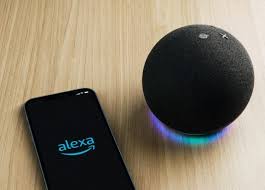
The Amazon Alexa mobile app transforms your smartphone into a powerful voice-controlled assistant that accompanies you everywhere. From managing smart home devices remotely to staying productive through voice commands, the possibilities extend far beyond traditional smartphone interactions.
Success with mobile Alexa comes from consistent use and exploration. Start with basic commands, gradually incorporating more complex requests as you become comfortable with the technology. Personalize your experience through routines, Skills, and smart home integrations that align with your lifestyle.
Whether you’re a longtime Echo device owner expanding to mobile use or discovering Alexa for the first time through your smartphone, the journey offers continuous discovery. Voice interaction fundamentally changes how we relate to technology, making it more accessible, intuitive, and human-centered.
Download the Alexa app today and experience the freedom of voice control wherever life takes you. Your smartphone is about to become significantly smarter, more helpful, and more responsive to your every need—all through the simple power of your voice.
