
Anúncios
Download Alexa on your phone and unlock a world of hands-free convenience, personalized assistance, and smart home control right at your fingertips.



Amazon Alexa has transformed how we interact with technology, bringing artificial intelligence directly into our daily routines. What started as a voice assistant for Echo devices has evolved into a powerful mobile companion that turns your smartphone into a command center for your digital life.
Anúncios
Whether you’re managing your schedule, controlling smart home devices, streaming music, or getting instant answers to your questions, the Alexa app puts all these capabilities in your pocket. Let’s explore how to download, set up, and maximize your experience with this intelligent assistant.
🚀 Why You Should Download Alexa on Your Mobile Device
The Alexa mobile app extends far beyond what you might expect from a simple voice assistant. It serves as a comprehensive control hub that connects your digital ecosystem, offering functionalities that adapt to your lifestyle and preferences.
Anúncios
With the app installed on your phone, you gain access to thousands of skills, personalized routines, and seamless integration with compatible devices. The convenience of having Alexa in your pocket means you’re never far from assistance, whether you’re at home, commuting, or traveling.
Mobile access to Alexa also means you can set up and manage your Echo devices, create shopping lists, control smart home equipment remotely, and even make hands-free calls. The app transforms your smartphone into a versatile tool that simplifies complex tasks with simple voice commands or quick taps.
📲 How to Download and Install the Alexa App
Getting started with Alexa on your mobile device is straightforward and takes just a few minutes. The app is available for both Android and iOS platforms, ensuring compatibility with virtually all modern smartphones.
For Android Users
Android users can find the official Amazon Alexa app directly in the Google Play Store. Simply search for “Amazon Alexa” or use the direct link to access the app page. The download is free, and the app typically requires Android 8.0 or higher for optimal performance.
Once you locate the app, tap the “Install” button and wait for the download to complete. The installation process is automatic, and you’ll see the Alexa icon appear in your app drawer once finished. Make sure you have a stable internet connection to ensure a smooth download experience.
For iPhone and iPad Users
iOS users can download Alexa from the Apple App Store with equal ease. Search for “Amazon Alexa” in the App Store, or navigate directly through the provided link. The app is compatible with iOS 13.0 or later and works seamlessly on both iPhone and iPad devices.
Tap “Get” followed by “Install,” and authenticate with Face ID, Touch ID, or your Apple ID password. The app will download and install automatically, appearing on your home screen ready to use.
⚙️ Setting Up Your Alexa App for the First Time
After installation, launching the app for the first time will prompt you through a guided setup process. This initial configuration ensures that Alexa understands your preferences and can provide personalized assistance from the start.
You’ll need to sign in with your existing Amazon account or create a new one if you don’t have one yet. Using the same account you use for Amazon shopping allows Alexa to access your order history, wish lists, and other personalized data that enhances functionality.
The setup wizard will ask for various permissions, including microphone access for voice commands, location services for weather and local information, and notification permissions to keep you informed. Granting these permissions unlocks the full potential of your Alexa experience.
Connecting Your Echo Devices
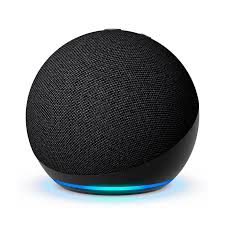
If you own Echo speakers, displays, or other Alexa-enabled hardware, the mobile app serves as the primary setup and management tool. Navigate to the “Devices” section and tap the plus icon to add new equipment to your ecosystem.
Follow the on-screen instructions to connect your Echo devices to your Wi-Fi network. The app will detect nearby devices and guide you through pairing, naming, and organizing them into groups for easier control.

🎯 Essential Voice Commands Every User Should Know
Mastering basic voice commands transforms how efficiently you can use Alexa. These fundamental phrases unlock immediate assistance and demonstrate the assistant’s versatility across different categories of tasks.
Daily Assistance Commands
- “Alexa, what’s the weather today?” – Get instant weather forecasts and prepare appropriately for your day
- “Alexa, set a timer for 10 minutes” – Perfect for cooking, workouts, or time-sensitive activities
- “Alexa, what’s on my calendar?” – Stay organized with quick schedule reviews
- “Alexa, remind me to call Mom at 3 PM” – Never forget important tasks with voice reminders
- “Alexa, add milk to my shopping list” – Build shopping lists hands-free while you notice what’s running low
Entertainment and Media Commands
Alexa excels at managing your entertainment needs, whether you’re streaming music, catching up on news, or exploring audiobooks. Voice control makes media consumption effortless and personalized.
- “Alexa, play jazz music” – Stream music from Amazon Music, Spotify, or other connected services
- “Alexa, what’s in the news?” – Receive customized news briefings from your preferred sources
- “Alexa, tell me a joke” – Lighten the mood with humor and entertainment features
- “Alexa, read my Kindle book” – Continue audiobooks or have Kindle content read aloud
🏠 Smart Home Control Through Your Mobile Alexa App
One of Alexa’s most powerful features is its ability to serve as a central hub for smart home devices. From lights and thermostats to security cameras and door locks, you can control your entire connected home through voice commands or the mobile interface.
The app’s “Devices” tab displays all your connected smart home equipment, organized by type and room. This visual interface complements voice control, offering quick access when speaking isn’t convenient or when you need more precise adjustments.
Compatible Smart Home Brands
Alexa works with thousands of smart home brands, ensuring compatibility with most popular devices on the market. Major manufacturers like Philips Hue, Ring, Nest, TP-Link, and Samsung SmartThings all integrate seamlessly with the Alexa ecosystem.
Setting up new devices typically involves enabling the manufacturer’s skill in the Alexa app, signing into your device account, and allowing Alexa to discover your equipment. Once connected, you can control devices individually or group them for synchronized operation.
Creating Smart Home Routines
Routines represent Alexa’s automation capabilities, allowing you to trigger multiple actions with a single command or scheduled event. For example, you might create a “Good Morning” routine that gradually brightens lights, starts your coffee maker, and delivers your daily briefing.
Access routines through the menu in your Alexa app, where you can build custom sequences using various triggers like voice commands, scheduled times, device states, or even your location. These automations save time and create a truly smart, responsive home environment.
🎵 Music and Audio Entertainment Features
Alexa transforms your phone into a powerful music player with voice control, supporting multiple streaming services and offering personalized recommendations based on your listening habits.
Amazon Music subscribers gain the most integrated experience, but the app also works with Spotify, Apple Music, Pandora, Deezer, and many other popular services. Connect your preferred platforms through the app settings to enable voice-controlled playback.
Advanced Music Commands
Beyond basic play and pause commands, Alexa offers sophisticated music control that lets you discover new artists, create personalized stations, and manage playback across multiple devices simultaneously.
- “Alexa, play music similar to this” – Discover new songs based on what’s currently playing
- “Alexa, play my workout playlist” – Access your custom playlists with voice commands
- “Alexa, what song is this?” – Identify music playing in your environment
- “Alexa, skip this song” – Navigate your queue without touching your phone
💬 Communication Capabilities Within the App
The Alexa app includes built-in communication features that let you make voice and video calls, send messages, and even “Drop In” on other Alexa devices in your household for instant communication.
These features work between Alexa app users and Echo devices, creating a free communication network for friends and family who use the platform. It’s particularly useful for staying connected with relatives who may not be tech-savvy, as calling Echo devices is as simple as saying their name.
Setting Up Alexa Calling and Messaging
Enable communication features by verifying your phone number in the app settings. Once activated, you can call any contact who also has the Alexa app or an Echo device registered to their Amazon account.
The “Communicate” tab provides access to your conversation history, contacts, and Drop In settings. You can customize who can reach you through these channels and manage privacy preferences to maintain control over your communication accessibility.
📚 Discovering and Enabling Alexa Skills
Skills are third-party applications that expand Alexa’s capabilities far beyond its built-in features. Think of them as apps for your voice assistant, covering categories like productivity, games, education, fitness, food, and countless specialized niches.
The Skills section of your Alexa app functions like an app store, with thousands of options to browse, search, and enable. Popular skills include meditation guides, recipe assistants, trivia games, language learning tools, and home workout programs.
Top Skills Worth Enabling
While preferences vary based on individual needs, certain skills have achieved widespread popularity for their utility and innovation. These represent some of the most valuable additions to your Alexa experience:
- Sleep Sounds – White noise and ambient sounds for better sleep quality
- 7-Minute Workout – Quick, guided exercise routines for busy schedules
- MyFitnessPal – Voice-controlled calorie tracking and nutrition logging
- Uber – Request rides without opening another app
- Todoist – Manage tasks and projects with voice commands
🔧 Customizing Your Alexa Experience
The settings menu offers extensive customization options that tailor Alexa’s behavior, voice, responses, and interactions to match your preferences. Spending time exploring these settings ensures you get the most personalized experience possible.
You can adjust Alexa’s speaking speed, change the wake word, modify privacy settings, configure Flash Briefing news sources, and set up preferred units for temperature and measurements. These small adjustments accumulate into a significantly improved user experience.
Privacy and Security Settings
Amazon provides robust privacy controls within the Alexa app, allowing you to review and delete voice recordings, manage permissions, and control how your data is used to improve services. The Privacy section gives you transparency and control over your information.
You can enable or disable features like voice purchasing, calling and messaging, and personalized recommendations. Regular reviews of these settings help you maintain the privacy balance that feels right for your situation.
🌟 Advanced Tips for Power Users
Once you’re comfortable with basic functions, exploring advanced features unlocks even more value from your Alexa app. These capabilities represent the cutting edge of what voice assistants can accomplish in daily life.
Multi-Room Music and Announcements
If you have multiple Echo devices throughout your home, the app lets you create speaker groups for synchronized audio playback. Play the same music in every room or send voice announcements to specific areas of your house.
The “Announce” feature broadcasts your voice message to all Echo devices, perfect for calling everyone to dinner or notifying family members of important information without shouting through the house.
Location-Based Routines
Enable location services to create routines that trigger automatically when you arrive home or leave. Your “Arriving Home” routine might unlock doors, adjust lighting, and start your favorite playlist as you pull into the driveway.
These geofenced automations add a layer of intelligence that makes your home truly responsive to your presence, creating seamless transitions between locations without manual intervention.
🛠️ Troubleshooting Common Issues
Even with a well-designed app, occasional issues can arise. Understanding common problems and their solutions helps you maintain a smooth Alexa experience without frustration.
Connectivity Problems
If Alexa isn’t responding or devices appear offline, check your internet connection first. Most issues stem from Wi-Fi problems rather than the app itself. Restarting your router and Echo devices often resolves connectivity challenges.
Ensure your Alexa app is updated to the latest version, as older versions may have compatibility issues with newer features and device firmware. Enable automatic updates in your phone’s app store settings to prevent version-related problems.
Voice Recognition Issues
If Alexa frequently misunderstands your commands, consider retraining voice recognition through the app settings. The Voice Training feature helps Alexa learn your speaking patterns, accent, and pronunciation preferences for improved accuracy.
Background noise, distance from the microphone, and speaking speed all affect recognition quality. Experiment with different speaking styles and environments to find what works best for your situation.
🔮 Future Updates and Upcoming Features
Amazon continuously expands Alexa’s capabilities through regular updates that add new features, improve existing functions, and introduce innovative ways to interact with your assistant. Staying informed about these developments ensures you’re taking advantage of the latest innovations.
Recent updates have introduced features like Alexa Guard for home security monitoring, Hunches that proactively suggest actions based on patterns, and improved natural language processing that makes conversations feel more human. The trajectory points toward increasingly sophisticated and context-aware assistance.
💡 Making the Most of Your Alexa Mobile Experience
Success with Alexa comes from consistent use and gradual exploration of features that match your lifestyle. Start with basic commands and routines, then expand into more sophisticated automations as you become comfortable with the platform.
The mobile app serves as both a companion to Echo devices and a standalone assistant in its own right. Whether you’re managing your smart home, staying organized, enjoying entertainment, or simply getting quick answers, Alexa adapts to become more valuable the more you engage with it.
Regular exploration of new skills, updates to your routines, and adjustments to settings keep your experience fresh and increasingly personalized. The investment of time in learning Alexa’s capabilities pays dividends in daily convenience and efficiency.
🎁 Exclusive Benefits for Prime Members
Amazon Prime subscribers enjoy additional Alexa benefits that enhance the already robust feature set. These perks include unlimited music streaming through Amazon Music, exclusive shopping deals announced through Alexa, and priority access to new features during beta testing phases.
Prime members can also use voice shopping with exclusive deals, listen to premium podcasts and audiobooks, and access enhanced smart home device discounts. The integration between Prime membership and Alexa creates a seamless ecosystem of services that work together harmoniously.
🌐 Global Availability and Language Support
The Alexa app is available in numerous countries and supports multiple languages, making it accessible to users worldwide. Language options include English (multiple dialects), Spanish, French, German, Italian, Japanese, Portuguese, Hindi, and many others.
You can switch between languages in the app settings, and bilingual users can even enable multilingual mode on compatible devices, allowing Alexa to understand and respond in multiple languages within the same household.
Downloading the Alexa app on your mobile device opens the door to a more connected, efficient, and intelligent daily experience. From controlling your home environment to managing schedules, enjoying entertainment, and staying in touch with loved ones, this powerful assistant adapts to your unique needs and preferences. Take the first step today by installing the app and discovering how voice technology can simplify your life in ways you never imagined possible. The future of personal assistance is already here, waiting in your pocket.
