
Anúncios
Meet Siri, Apple’s revolutionary voice assistant that transforms how you interact with your devices through simple voice commands, making everyday tasks effortless and intuitive.



Since its debut in 2011, Siri has evolved from a simple voice recognition tool into a sophisticated AI-powered assistant capable of understanding context, learning your preferences, and executing complex tasks across Apple’s entire ecosystem. Whether you’re driving, cooking, working out, or simply keeping your hands free, Siri stands ready to help with just a voice command.
Anúncios
The beauty of Siri lies in its accessibility and versatility. From setting reminders and sending messages to controlling smart home devices and answering trivia questions, this virtual assistant has become an indispensable companion for millions of users worldwide. Let’s explore how Siri can revolutionize your daily routine and maximize your productivity.
🎤 Understanding Siri: Your Personal Voice-Activated Assistant
Siri represents Apple’s commitment to making technology more human and approachable. Unlike traditional interfaces that require tapping, swiping, and typing, Siri responds to natural language—the way you actually speak. This conversational approach removes barriers between you and your device, creating a seamless experience that feels almost magical.
Anúncios
The assistant utilizes advanced machine learning algorithms and natural language processing to interpret your requests accurately. Whether you speak casually or formally, use slang or technical terms, Siri adapts to your communication style. Over time, the assistant learns your voice patterns, accent, and preferences, becoming increasingly personalized and efficient.
What sets Siri apart is its deep integration with Apple’s hardware and software ecosystem. Available on iPhone, iPad, Mac, Apple Watch, HomePod, and even CarPlay, Siri maintains continuity across all your devices. A reminder set on your iPhone appears on your Apple Watch, while a note dictated to your HomePod syncs instantly to your Mac.
🚀 Activating Siri: Multiple Ways to Get Started
Apple has designed several convenient methods to summon Siri, ensuring accessibility regardless of your situation or device. The most common activation method is the classic “Hey Siri” wake phrase, which allows completely hands-free operation. Simply say these magic words, and Siri springs to life, ready to assist.
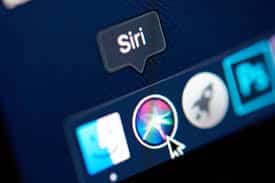
For newer iPhone models without a Home button, pressing and holding the side button activates Siri instantly. On older devices with a Home button, a long press on that button does the trick. Mac users can click the Siri icon in the menu bar or use a customizable keyboard shortcut for quick access.
Apple Watch owners can raise their wrist and speak directly, or press and hold the Digital Crown. AirPods users benefit from a special convenience—simply say “Hey Siri” while wearing them, or use the force sensor on AirPods Pro. This variety ensures Siri is always within reach, no matter how you’re using your Apple devices.
💬 Everyday Commands That Transform Your Routine
Siri’s true power emerges when you incorporate it into your daily workflow. Simple commands like “Set an alarm for 6:30 AM” or “Remind me to call Mom at 3 PM” handle scheduling effortlessly. These basic but essential tasks become instantaneous, freeing your mental energy for more important matters.
Communication becomes remarkably efficient with Siri. Commands like “Send a message to John saying I’ll be there in 10 minutes” or “Read my latest emails” keep you connected without interrupting your current activity. Siri can even handle follow-up questions, understanding context from previous exchanges.
Information retrieval showcases Siri’s knowledge base brilliance. Ask “What’s the weather like today?” or “How far is the nearest coffee shop?” and receive immediate, relevant answers. Siri pulls data from multiple sources, including weather services, maps, web searches, and your personal information to provide comprehensive responses.
📱 Productivity Boosters Through Voice Commands
Professionals and busy individuals find Siri invaluable for maintaining productivity on the go. Creating calendar events takes seconds: “Schedule a meeting with Sarah for Thursday at 2 PM in Conference Room B” adds the appointment complete with details. No more fumbling with tiny keyboards or navigating multiple screens.
Note-taking becomes effortless during brainstorming sessions or sudden inspiration moments. Simply say “Note that I should research competitor pricing strategies” and Siri captures your thought instantly. These voice notes sync across devices, ensuring your ideas are never lost.
Timer and reminder functionality helps manage time effectively. Cooking multiple dishes? “Set a timer for 12 minutes for the pasta” keeps everything on track. Need to remember something location-specific? “Remind me to pick up dry cleaning when I leave work” triggers notifications based on your GPS location.
🏠 Smart Home Control at Your Fingertips (Or Voice)
Siri serves as the command center for HomeKit-enabled smart home devices, transforming your living space into an intelligent environment. A simple “Hey Siri, turn off the living room lights” eliminates the need to locate switches or open apps. This convenience extends to virtually any compatible smart device.
Creating scenes amplifies this functionality exponentially. Commands like “Good morning” can trigger a sequence of actions: raising blinds, adjusting thermostat temperature, starting the coffee maker, and playing your favorite news podcast. These personalized automations adapt your home to your lifestyle seamlessly.

Security features integrate beautifully as well. “Show me the front door camera” displays your HomeKit security camera feed instantly. “Lock all the doors” secures your entire home with one command. This level of control provides peace of mind whether you’re home or away.
🎵 Entertainment and Media Made Simple
Music lovers appreciate Siri’s Apple Music integration deeply. Commands like “Play some upbeat workout music” or “Play the latest album by [artist name]” start your soundtrack immediately. Siri understands mood-based requests, genre preferences, and even obscure song lyrics when you can’t remember the title.
Podcast enthusiasts benefit from voice control too. “Play the latest episode of [podcast name]” keeps you current with your favorite shows. During playback, commands like “Skip forward 30 seconds” or “What did they just say?” (which rewinds slightly) enhance the listening experience.
Video content works similarly with Apple TV integration. “Play Stranger Things on Netflix” launches the app and starts streaming with zero manual navigation. “Pause,” “rewind,” and “turn on subtitles” commands eliminate the need for remote controls entirely.
🚗 Driving Safely with Siri as Your Co-Pilot
Road safety improves dramatically when Siri handles communication and navigation while driving. CarPlay integration means your iPhone’s assistant projects onto your vehicle’s display, keeping your eyes on the road and hands on the wheel.
Navigation becomes effortless with commands like “Get directions to the nearest gas station” or “Navigate home using the fastest route.” Siri provides turn-by-turn guidance with voice announcements, alerting you to traffic conditions and suggesting alternative routes when necessary.
Staying connected without distraction is crucial. “Read my new messages” lets Siri announce incoming texts, while “Reply that I’m driving and will call back soon” sends responses without requiring you to look at your phone. This hands-free communication maintains safety while keeping you accessible.
🌍 Travel Companion and Translation Tool
Travelers find Siri indispensable for navigating unfamiliar territories. “Find restaurants near me” discovers dining options with ratings and directions. “What’s the exchange rate for euros to dollars?” provides current financial information instantly, helping with budgeting decisions abroad.
Translation capabilities break down language barriers effectively. “How do you say ‘where is the bathroom’ in Spanish?” provides instant translations for essential phrases. While not a replacement for dedicated translation apps, Siri handles common travel situations admirably.
Flight information and time zone management become simple tasks. “What time is it in Tokyo?” helps coordinate international calls. “What’s my gate number for flight AA123?” retrieves booking details from your emails automatically, streamlining airport navigation.
🔒 Privacy and Security Features Built-In
Apple prioritizes user privacy with Siri’s design, implementing multiple safeguards to protect your information. Voice requests are anonymized and associated with random identifiers rather than your Apple ID. This approach ensures personalization without compromising privacy.
On-device processing handles many Siri requests locally on newer devices, meaning your voice data never leaves your iPhone or iPad. This edge computing approach enhances both privacy and response speed, creating a win-win situation for users concerned about data security.
You maintain complete control over Siri’s data collection through Settings. Options to delete Siri history, disable voice activation, or limit app access give you granular control over how the assistant operates. Transparency reports detail exactly what information Siri accesses and why.
⚡ Advanced Tips for Power Users
Shortcuts represent Siri’s most powerful customization feature. This functionality allows creating complex automation workflows triggered by simple voice commands. For example, a custom “Heading home” shortcut might send your ETA to family, adjust your home temperature, and start playing your favorite podcast.
App-specific commands extend Siri’s capabilities dramatically. Third-party applications can integrate Siri functionality, allowing commands like “Order my usual from [coffee app]” or “Start a 30-minute meditation in [meditation app].” This ecosystem integration makes Siri truly comprehensive.
Pronunciation teaching improves accuracy with names and unique terms. When Siri mispronounces a contact’s name, saying “That’s not how you pronounce [name]” prompts a learning session where you teach the correct pronunciation. This attention to detail enhances the personalized experience.
🎯 Maximizing Efficiency with Context Awareness
Siri’s contextual intelligence continues improving with each iOS update. The assistant remembers previous requests within a session, allowing follow-up questions without repeating information. Ask “What’s the weather?” then follow with “What about tomorrow?” and Siri understands the continued weather context.
Screen awareness means Siri can reference what you’re currently viewing. Looking at a restaurant in Maps? Ask “What are the hours?” and Siri knows you mean that specific location. Reading an article about a movie? “Add this to my watchlist” understands the film reference.
Proactive suggestions demonstrate Siri’s predictive capabilities. Based on your routines, Siri might suggest leaving for appointments considering current traffic, or remind you about recurring tasks at optimal times. This anticipatory assistance feels genuinely helpful rather than intrusive.
🔮 The Future of Voice Assistance with Siri
Apple continues investing heavily in Siri’s development, with each update bringing enhanced natural language understanding and expanded capabilities. Machine learning improvements mean more accurate voice recognition across accents, dialects, and languages, making Siri truly global.
Integration depth across Apple’s ecosystem will deepen further, with rumors suggesting enhanced cross-device handoff capabilities and more sophisticated automation options. The vision involves Siri becoming an ambient intelligence layer across your digital life, anticipating needs before you articulate them.
Competitive pressure from other voice assistants drives innovation benefiting all users. As Amazon Alexa, Google Assistant, and newer entrants push technological boundaries, Siri evolves to maintain relevance and usefulness. This healthy competition accelerates feature development and capability expansion.
✨ Making Siri Work Best for Your Lifestyle
Getting maximum value from Siri requires some initial investment in customization and habit formation. Start by enabling “Hey Siri” activation and training the assistant to recognize your voice accurately. This one-time setup pays dividends through improved accuracy and personalization.
Gradually incorporate voice commands into your routine rather than forcing wholesale change. Begin with simple, frequently performed tasks like setting alarms or checking weather. As comfort grows, expand into more complex commands and automation workflows.
Explore the Shortcuts app thoroughly to understand automation possibilities. Pre-built shortcuts offer inspiration, while custom creations can address your specific needs perfectly. The community shares innovative shortcuts online, providing ready-made solutions for common scenarios.
Remember that Siri improves through use—the more you interact, the better it understands your speech patterns and preferences. Don’t be discouraged by occasional misunderstandings; simply rephrase and try again. Over time, successful communication becomes second nature.
🌟 Real-World Impact on Daily Life
Users consistently report meaningful quality-of-life improvements after embracing Siri fully. Accessibility benefits prove particularly profound for individuals with mobility limitations, visual impairments, or other conditions that make traditional device interaction challenging. Voice control democratizes technology access significantly.
Productivity gains accumulate through countless small time savings. Seconds saved on individual tasks compound into hours weekly, freeing time for what truly matters. The mental load reduction from offloading routine tasks to Siri creates space for creativity and relaxation.
The hands-free nature of voice assistance promotes healthier device relationships. Rather than constantly staring at screens, you can maintain eye contact during conversations, focus on your surroundings while walking, or keep attention on the road while driving—all while staying connected and productive.
Siri represents more than technological convenience; it’s a paradigm shift in human-computer interaction. By speaking naturally rather than learning complex interfaces, technology becomes more approachable and less intimidating. This accessibility invites broader participation in the digital world, particularly for those who find traditional computing challenging.
Whether you’re a busy professional juggling multiple responsibilities, a parent managing household chaos, a student balancing academics and activities, or simply someone who values efficiency and convenience, Siri offers tangible benefits worth exploring. The assistant’s continuous evolution ensures it remains relevant and increasingly capable as your needs change.
Start simple, experiment freely, and discover how voice assistance can transform your relationship with technology. Siri is ready whenever you need help—just speak up, and experience the future of effortless digital interaction. 🎙️✨
