
Anúncios
Remote control apps have transformed how we interact with our home entertainment systems, offering convenience and eliminating the frustration of lost or broken physical remotes.

Modern smartphones have become powerful universal remotes, capable of controlling televisions, streaming devices, air conditioners, and even smart home appliances. This evolution represents a significant shift in how we manage our digital ecosystems at home and in professional environments.
Anúncios
The convenience of having multiple remote controls consolidated into a single device has made remote control apps essential tools for millions of users worldwide. Whether you’re looking to simplify your entertainment setup or searching for a quick solution when your physical remote stops working, these applications offer practical solutions worth exploring.
📱 Why Remote Control Apps Are Gaining Popularity
The surge in remote control app adoption stems from several compelling advantages that traditional remotes simply can’t match. First and foremost, smartphones are always within arm’s reach, unlike physical remotes that mysteriously disappear between couch cushions or under furniture.
Anúncios
Additionally, these applications offer unified control over multiple devices from different manufacturers. Instead of juggling three or four separate remotes for your TV, sound system, streaming box, and air conditioner, you can manage everything through one intuitive interface on your phone.
Cost savings represent another significant benefit. Replacement remotes can be surprisingly expensive, especially for high-end electronics. A free or low-cost app eliminates this recurring expense while often providing superior functionality compared to the original remote.


🔧 How Remote Control Apps Actually Work
Understanding the technology behind these apps helps users make informed choices and troubleshoot potential issues. Most remote control applications utilize one of three primary technologies: infrared (IR), Wi-Fi, or Bluetooth connectivity.
Infrared Technology
Traditional IR-based apps require your smartphone to have an IR blaster—a hardware component that emits infrared signals just like conventional remotes. While this technology works reliably and doesn’t require internet connectivity, it’s becoming less common as manufacturers phase out IR blasters from newer smartphone models.
Devices that still include IR functionality offer the advantage of controlling virtually any IR-compatible appliance without requiring the TV or device to be connected to your home network. This makes IR-based control ideal for older electronics or situations where network connectivity isn’t available.
Wi-Fi Connectivity
Wi-Fi-enabled remote apps represent the modern standard, connecting to smart TVs and devices through your home network. This approach offers several advantages, including the ability to control devices from anywhere in your home without line-of-sight requirements.
These applications can also provide advanced features like content streaming, screen mirroring, keyboard input for search functions, and even voice control integration. The main requirement is that both your smartphone and the target device must be connected to the same wireless network.
Bluetooth Pairing
Some remote control apps leverage Bluetooth technology for direct device pairing. This method offers reliable performance without depending on Wi-Fi infrastructure, though it typically requires an initial pairing process and works within a limited range.

🌟 Key Features to Look for in a Remote Control App
Not all remote control applications are created equal. When selecting the right solution for your needs, consider these essential features that separate excellent apps from mediocre ones.
Device Compatibility
The best universal remote apps support a wide range of manufacturers and device types. Look for applications that explicitly list compatibility with your specific TV brand, streaming devices, and other electronics you wish to control.
Premium apps often maintain extensive databases of device codes and receive regular updates to support newly released products. This ongoing support ensures your app remains functional even as you upgrade your home entertainment equipment.
User Interface Design
An intuitive, well-designed interface makes the difference between frustration and seamless control. The layout should mirror familiar remote designs while taking advantage of smartphone capabilities like touchscreens and gesture controls.
Customization options allow you to configure button layouts, create macros for common actions, and personalize the appearance to match your preferences. Some advanced apps even let you design completely custom remote interfaces tailored to your specific usage patterns.
Additional Functionality
Beyond basic channel changing and volume control, modern remote apps offer impressive extended capabilities:
- Virtual keyboard for easy text input during searches
- Voice command integration for hands-free operation
- Screen mirroring to display phone content on your TV
- Touchpad mode for navigating smart TV interfaces
- Programmable macro buttons for complex command sequences
- Multi-device control for managing entire entertainment systems
- Content discovery and streaming integration
🏠 Practical Applications Beyond Entertainment
While controlling your television represents the most common use case, remote control apps serve numerous other valuable purposes that extend their utility throughout your home and workspace.
Climate Control Management
Many universal remote apps include support for air conditioning units, fans, and other climate control devices. This capability proves particularly useful when original AC remotes malfunction or when you want centralized control over multiple units in different rooms.
Setting temperature schedules, adjusting fan speeds, and switching between cooling modes becomes more convenient when managed through your smartphone rather than hunting for dedicated remotes throughout your home.
Smart Home Integration
Advanced remote control applications increasingly integrate with broader smart home ecosystems, allowing you to manage lighting, security cameras, thermostats, and entertainment systems from a unified interface.
This consolidation transforms your smartphone into a comprehensive home control center, eliminating the need to switch between multiple specialized apps for different device categories.
Professional and Commercial Settings
Businesses utilize remote control apps in conference rooms, waiting areas, restaurants, and retail environments where quick, discreet control over displays and audio systems enhances professional operations.
The ability to control presentation equipment from anywhere in the room without visible remotes creates cleaner, more professional environments while providing presenters with greater flexibility during meetings and demonstrations.
🔐 Security and Privacy Considerations
As with any connected technology, remote control apps raise important security questions that responsible users should address. Understanding potential vulnerabilities helps you make informed decisions about which applications to trust.
Reputable apps employ encryption for network communications and don’t require excessive permissions beyond what’s necessary for core functionality. Be cautious of applications requesting access to contacts, location data, or other information unrelated to remote control operations.
Regular updates from developers indicate ongoing security maintenance and feature improvements. Apps that haven’t been updated in months or years may contain unpatched vulnerabilities or compatibility issues with newer operating systems and devices.
⚡ Troubleshooting Common Issues
Even the best remote control apps occasionally encounter problems. Knowing how to resolve common issues saves time and reduces frustration when things don’t work as expected.
Connection Problems
If your app can’t connect to your TV or other devices, verify that both your smartphone and target device are connected to the same Wi-Fi network. Many connection issues stem from devices being on different network bands (2.4GHz vs. 5GHz) or guest networks with isolation enabled.
Restarting both your phone and the device you’re trying to control often resolves temporary connectivity glitches. Additionally, ensure your TV’s network features are enabled and not in standby mode.
Delayed Response or Lag
Response delays typically indicate network congestion or weak signal strength. Moving closer to your Wi-Fi router or reducing the number of devices competing for bandwidth can improve responsiveness.
For IR-based apps, ensure there’s a clear line of sight between your phone and the device, and that the IR blaster isn’t obstructed by cases or screen protectors.
Limited Functionality
If certain buttons or features don’t work, confirm you’ve selected the correct device model during setup. Generic configurations may lack support for manufacturer-specific functions available only with precise device matching.
🎯 Maximizing Your Remote Control App Experience
Getting the most from your remote control application involves more than basic installation. These optimization strategies enhance functionality and convenience.
Take time to explore advanced settings and customization options. Creating personalized button layouts for frequently used functions streamlines your daily interactions and reduces the number of taps required for common operations.
Macro programming allows you to combine multiple commands into single-button actions. For example, you might create a “movie night” macro that turns on your TV, switches to the correct input, activates your sound system, and dims smart lights—all with one tap.
Widget support on compatible smartphones puts essential controls on your home screen, eliminating the need to open the full app for quick volume adjustments or channel changes.
🌐 The Future of Remote Control Technology
Remote control apps continue evolving with emerging technologies promising even greater capabilities. Artificial intelligence integration is beginning to enable predictive controls that learn your habits and preferences over time.
Voice assistant compatibility grows more sophisticated, allowing natural language commands that go beyond simple “volume up” requests to complex instructions like “show me action movies from the 1990s.”
Augmented reality features under development may soon let you point your phone camera at any device and automatically identify and control it without manual setup processes.
💡 Making the Smart Choice
Selecting the right remote control app depends on your specific devices, preferences, and usage patterns. Universal solutions offer broad compatibility at the cost of some specialized features, while manufacturer-specific apps provide deep integration for particular brands.
Reading user reviews and checking recent update history helps identify actively maintained applications with responsive developer support. Free versions often provide adequate functionality for basic needs, while premium options unlock advanced features for power users.
Compatibility with your smartphone’s operating system and hardware capabilities remains crucial. Verify that your device supports the necessary connectivity methods—whether IR, Wi-Fi, or Bluetooth—before committing to a particular app.
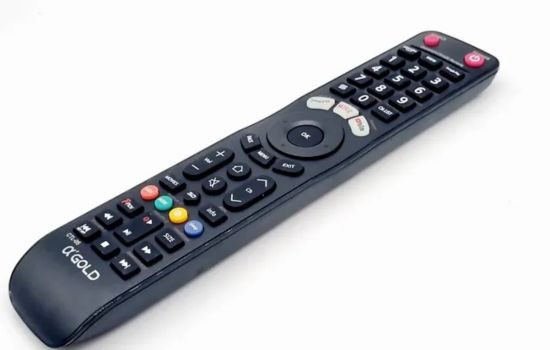
🚀 Getting Started with Your Remote Control App
Beginning your journey with remote control apps requires minimal effort. Download a well-reviewed application compatible with your devices, follow the straightforward setup process, and start enjoying the convenience of smartphone-based control.
Most apps guide you through device detection or manual configuration with clear instructions and visual aids. The initial setup typically takes just a few minutes, after which you’ll have immediate access to comprehensive control capabilities.
Experiment with different features and settings to discover which configurations work best for your lifestyle. The flexibility of modern remote control apps means you can continuously refine your setup as your needs evolve and new devices join your ecosystem.
The convenience, cost savings, and enhanced functionality offered by remote control applications make them invaluable tools in our increasingly connected world. Whether replacing a lost remote, consolidating multiple controllers, or exploring advanced smart home integration, these apps deliver practical solutions that genuinely improve daily life.
